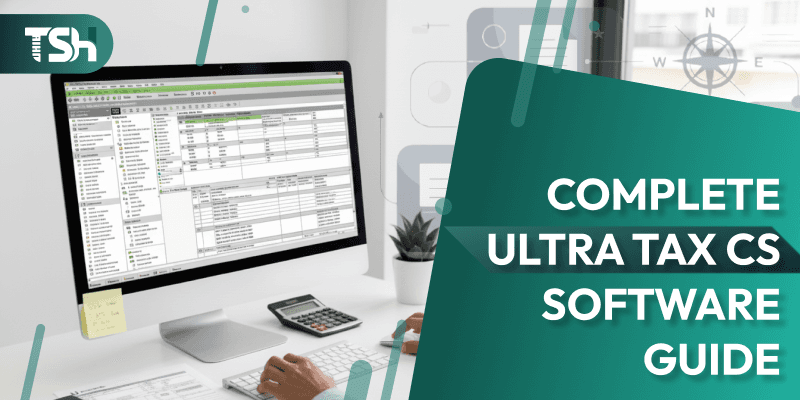
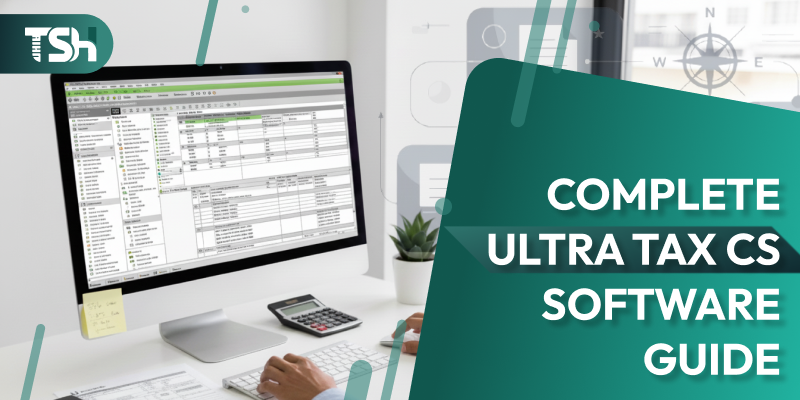
UltraTax CS Tax Software: The Complete 2025 Guide
When it comes to professional tax preparation software, UltraTax CS Tax Software by Thomson Reuters stands tall as one of the most trusted solutions in the accounting industry. Designed to meet the needs of CPAs, accountants, and tax professionals, it offers unmatched accuracy, compliance, and integration capabilities.
In this detailed guide, we’ll cover what UltraTax CS is, explore its features, benefits, and pricing, and explain how hosting UltraTax CS on the cloud can transform your workflow. We’ll also discuss how to choose the right UltraTax hosting provider and address some frequently asked questions at the end.
What is UltraTax CS Software?
UltraTax CS Software is a robust, professional tax preparation solution developed by Thomson Reuters, a trusted global leader in financial and accounting technology. As part of the comprehensive CS Professional Suite, which includes tools like Accounting CS, FileCabinet CS, and Practice CS , UltraTax CS empowers tax professionals to seamlessly manage both individual and business tax returns. Whether used on local systems or through UltraTax CS Hosting The software ensures enhanced efficiency, secure remote access, and full compliance with federal and state tax regulations. It provides comprehensive support for:
- Individual (1040) returns
- Corporate (1120, 1120S) filings
- Partnership (1065) returns
- Fiduciary (1041) filings
- Exempt organization (990) returns
- State and local tax forms
In essence, UltraTax CS streamlines the tax preparation process from start to finish; automating calculations, generating e-file-ready forms, and ensuring consistent data accuracy across client files.
Features of UltraTax CS Software
The features of UltraTax CS Software make it an all-in-one tax management system. Here are the key highlights that set it apart from traditional tax preparation tools:
1. Comprehensive Tax Return Support
UltraTax CS covers every type of federal, state, and local return imaginable. Whether you’re filing for individuals, corporations, partnerships, estates, or trusts, the software ensures that all calculations and forms meet IRS standards.
2. Seamless Data Sharing within CS Suite
As part of the Thomson Reuters CS Professional Suite, UltraTax CS integrates effortlessly with Accounting CS, Practice CS, FileCabinet CS, and Workpapers CS. This interconnected ecosystem minimizes redundant data entry and ensures consistency across your firm’s systems.
3. Advanced E-Filing and Compliance Tools
UltraTax CS simplifies electronic filing with the IRS and state agencies. It automatically validates return data, flags potential errors, and provides real-time updates on filing statuses. The compliance module ensures that every return is accurate and up-to-date with the latest tax law changes.
4. Customizable Reports and Dashboards
Users can generate detailed client reports, performance summaries, and productivity analytics. The dashboard view allows firms to track workload, filing status, and client communications in real-time.
5. Multi-User Access and Collaboration
Multiple users can work simultaneously on the same tax project without data conflicts. This is particularly useful for medium- to large-sized accounting firms, where collaboration and concurrent access are critical.
6. Client Data Security and Backup
UltraTax CS offers advanced security options, including password-protected files and role-based access controls. It also supports encrypted data storage and automated backup schedules.
7. User-Friendly Interface
Despite being a professional-grade solution, UltraTax CS provides a clean and intuitive interface. Accountants can easily navigate tax forms, quickly access client data, and perform batch operations with minimal effort.
Benefits of UltraTax CS Software
Adopting UltraTax CS Software brings several tangible benefits to tax professionals and accounting firms. Let’s break down the most important ones:
1. Time Efficiency and Accuracy
Automated processes replace manual data entry and repetitive calculations. UltraTax CS’s built-in validation tools reduce the risk of errors and missed deductions, ensuring accuracy in every return.
2. Improved Client Management
The software provides a centralized client database that stores all records, returns, notes, and communications in a single, organized, and accessible location. This enhances client service and reduces turnaround time during peak tax seasons.
3. Integrated Workflow with Other Tools
With its tight integration into Thomson Reuters’ ecosystem, UltraTax CS allows accountants to seamlessly transfer data between tax prep, accounting, and document management modules.
4. Regulatory Compliance Made Easy
UltraTax CS automatically updates with new tax laws, ensuring firms stay compliant without manual intervention. This reduces the risk of penalties and rework.
5. Enhanced Productivity
Batch processing, real-time validation, and streamlined workflows enable firms to handle more returns in less time. That directly translates into higher profitability.
6. Scalability for Growing Firms
Whether you’re a solo practitioner or a 50-member firm, UltraTax CS scales easily. It supports multi-user environments and remote access, making it adaptable to firms of all sizes.
Host UltraTax CS on the Cloud
While UltraTax CS is a robust desktop-based software, hosting it on the cloud unlocks its full potential in today’s remote-first world.
Why Move UltraTax CS to the Cloud?
By opting to host UltraTax CS on the Cloud, accounting firms can access their tax applications and client data from any device, anywhere, at any time. This eliminates the dependency on office systems and simplifies collaboration between teams and clients.
Key Benefits of Cloud Hosting UltraTax CS
- Anywhere, Anytime Access – Work remotely or from multiple offices without worrying about local installations.
- Automatic Backups – Cloud providers ensure data redundancy with automated daily backups.
- Bank-Level Security – Cloud hosting comes with enterprise-grade security protocols, encryption, and firewalls.
- Faster Processing – Cloud servers often outperform local desktops, resulting in reduced file load times and improved workflow efficiency.
- Multi-User Collaboration – Multiple accountants can access duplicate tax files in real-time without conflicts or delays.
- 24/7 Technical Support – Most reliable UltraTax hosting providers offer round-the-clock support to resolve technical issues.
Choose the Right UltraTax Hosting Provider
Selecting the right hosting provider for your UltraTax CS software is crucial for performance, security, and reliability. Not all hosting companies are created equal, so keep these points in mind. Leading providers like Sagenext, TaxSoftwareHosting, Ace Cloud Hosting, and RightNetworks are known for offering secure, scalable, and high-performance UltraTax CS hosting solutions, making them strong options to consider during your evaluation process.
1. Check for Security Compliance
Your provider must adhere to strict data security standards, such as SOC 2, SSAE 18, and GDPR. Encryption during data transfer (SSL/TLS) and multi-factor authentication are must-haves.
2. Data Center Quality
Ensure the provider operates from Tier III or Tier IV data centers located in the U.S. with redundant power, cooling, and connectivity.
3. Scalability and Performance
As your firm grows, your hosting provider should allow you to easily upgrade server resources, such as RAM, storage, and CPU, without downtime.
4. Dedicated Support
Choose a provider that offers 24/7 support, especially during tax season when uptime is non-negotiable.
5. Integration and Add-Ons
Some hosting providers integrate UltraTax CS with add-ons like Microsoft Office, QuickBooks, and document management tools. This integration enhances productivity and convenience.
6. Trial and Reviews
Before committing long-term, request a free trial and read genuine customer reviews. Providers like Sagenext, Right Networks, and Ace Cloud Hosting are widely trusted for hosting UltraTax CS securely and efficiently.
UltraTax CS Software Pricing
UltraTax CS Software Pricing depends on the type of returns you file, the modules you choose, and the number of users. Thomson Reuters typically offers flexible pricing models based on firm size and specific requirements.
Here’s a general breakdown:
- Base License: Starts around $2,500–$3,000/year for a single user with individual federal and one state module.
- Additional States/Modules: Each additional state or business return module may cost between $250 and $500.
- Network Licensing: For multi-user access, additional costs apply per seat.
- Cloud Hosting Add-On: When hosted through third-party providers, expect to pay an additional $50–$80 per user per month, depending on server specifications, security, and support level.
Why UltraTax CS Remains a Top Choice for Tax Professionals
UltraTax CS remains one of the most comprehensive tax software platforms available today. Its blend of automation, robust compliance tools, and cloud-ready flexibility makes it a powerhouse for firms that demand precision and peak performance. With modern tax software hosting, accountants can move far beyond the limitations of traditional desktop setups gaining faster turnaround times, enhanced team collaboration, and secure anytime-anywhere access to their work.
For firms looking to modernize their tax operations in 2025, UltraTax CS on the cloud is not just an upgrade; it’s a strategic investment. Before making a purchase, compare UltraTax CS Software Pricing, evaluate your firm’s needs, and choose the right hosting provider to get the most out of this leading tax preparation solution.
FAQs (Frequently Asked Questions)
1. How much is UltraTax Software?
The cost of UltraTax CS varies depending on the package and number of users. A single-user license with federal and one state modules generally starts around $2,500 to $3,000 annually. Additional modules and users increase the total cost. Cloud hosting adds around $50–$80 per user per month.
2. What are the system requirements for UltraTax?
UltraTax CS runs best on Windows 10 or 11 (64-bit) with at least:
- Intel i5 or higher processor
- 8 GB RAM (16 GB recommended)
- 10 GB available disk space
- Microsoft .NET Framework 4.8 or later
- Stable broadband internet for updates and e-filing
For network installations, ensure a Windows Server 2016 or newer environment.
3. How to update UltraTax CS?
To update UltraTax CS:
- Open the CS Connect utility within the software.
- Choose “Download UltraTax CS Updates.”
- Review and select the available updates.
- Click “Download and Apply.”
- Restart the software to finalize updates.
It’s best practice to perform updates regularly to stay compliant with IRS changes and new form releases.
4. What is UltraTax CS used for?
UltraTax CS is used by accounting and tax professionals to prepare, review, and file federal and state tax returns for individuals, corporations, partnerships, estates, and trusts. It automates calculations, ensures compliance, and integrates with the Thomson Reuters CS Suite for complete practice management.
 Popular Posts


 written by